



| Color: | Blue / Green |
|---|---|
| Brand Name: | other |
| Feature: | Slim fuselage, light and portable |
| Display Type: | Color screen |
| Design: | Fashion |
| Function: | Bluetooth,E-Book Reading,FM Radio |
| Built-in Speaker: | Yes |
| Memory Size: | 32GB |
| Screen Size: | < 2" |
Quick Details
Specifications
the following example is for you reference.
Features:
the designer has customized several color films for this MP3. If you like it, you can buy a set meal with a gift of color film. (Note the desired color when placing the order). 2) Support the mobile phone singing. 3) Three-frequency high, medium and low shock output, upgrade your music experience comprehensively. 4) Independent dual-tone design brings transparent sound quality performance, bright and prominent sound, strong wear. Turbulence still lingers.
Technical details:
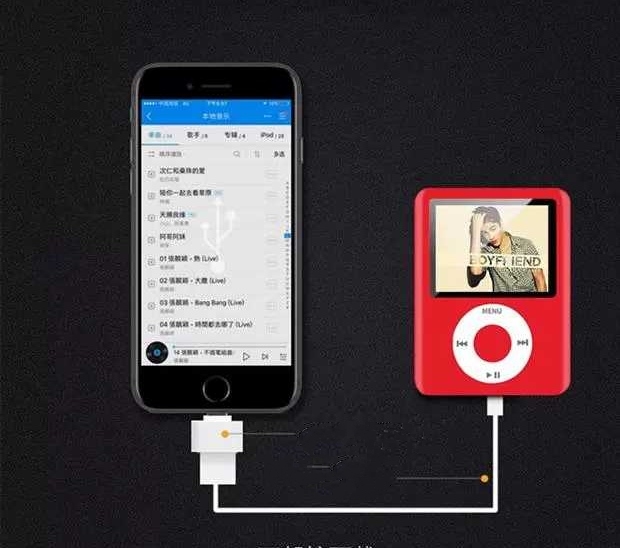
Mobile phone download can be achieved by connecting OTG downloader and data line (only by purchasing a package with OTG downloader)
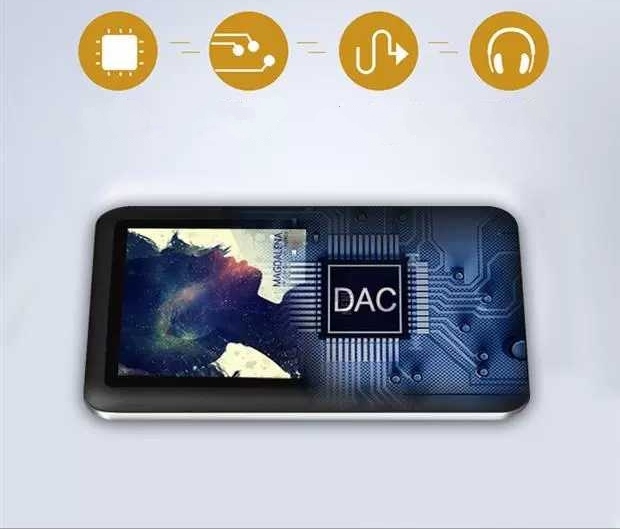
through independent audio decoding, sound sense optimization system, audio decoding ear discharge current increases, and eventually output headphones to achieve sound quality upgrade.
Operation method of useage:
1. Boot-up operation: Put the boot button on (ON). If the light is flickering, it means that it is playing. If it is only on or off, power up the MP3 and repeat the steps above.
2. Shutdown operation: Put the boot button to the left to shut down and the indicator lights out.
3. Volume adjustment: long press the "+" button, you can adjust the volume, long press the "-" button, you can reduce the volume!
4. next song: gently press the "+" button, and vice versa.
5. Indicator lamp: Play state - the lamp flickers, in the charging state, the lamp is on when charging.
6. Connect the computer: Connect the computer with the USB cable provided by MP3. after popping up the mobile disc characters, you can check in and delete the files. Please do not unplug MP3 directly after operation. You should go to the lower right corner of the computer and delete the hardware first and then unplug it.
Package:
Packing is based on actual packing.