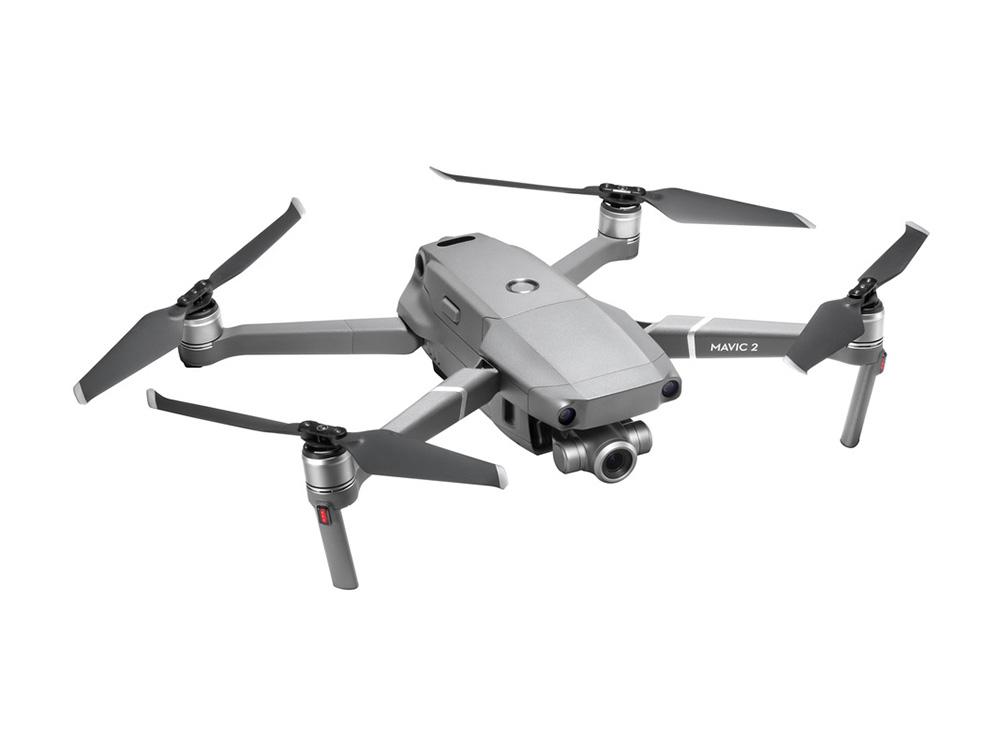
| Brand Name: | DJI |
|---|---|
| Weight: | 1.98 |
| Color: | gray |
| Size: | 180*97*77 mm |
| Material: | composite material |
| Place of Origin: | China (Mainland) |
Quick Details
Specifications
the following example is for you reference.
Features:
Size: fold:180*97*77 mm
unfold:183*253*77 mm
Color: Gray
Technical details:
Operation method of useage:
1.Remove the pantomime protection cover to ensure that the pantomime can move freely for self-inspection after starting up.
2.Make sure the batteries of both the drone and remote control are fully charged before takeoff.
Connect the battery of the Mavic Pro to the charger, and the indicator light will automatically turn off when fully charged.
to charge the remote control, you need to use a Micro USB cable, connect it to the port on the left end of the remote control, and then connect it to the charger.
the Mavic charger also has a redundant USB charging port that can charge both your phone and tablet.
3.Connect the drone to the remote control.
the DJI DJI Mavic Pro is equipped with dedicated Micro USB and Lightning data cables. You can choose the corresponding cable according to your mobile phone.
since the remote control is relatively small, in order to better fit with the phone, you can choose to remove the phone's protective case first.
4.Launch the DJI Go APP and register an account.
It's worth mentioning that the Android version of the DJI Go APP hasn't been updated yet, but stay tuned and there will be a follow-up update soon.
5.after starting the DJI Go APP, start the remote control and Mavic Pro by pressing the power once and then long pressing the power again. If successful, you will hear the start sound.
at this point, the APP will check the network to see if there is any new firmware update. If there is, click "Download" according to the prompt, and the firmware will be automatically downloaded and updated. during the process, Mavic and the remote control may restart for several times, until the screen indicates "upgraded successfully".
6.the Mavic Pro comes in two types of blades, and if you look closely at the bottom of the blades, you'll notice that one has a white ring and the other doesn't.
and the motor has the same, one with a white ring, the other without.
the motors and blades have white rings, which indicate that they will rotate clockwise.
When installing, correspond them to each other.
the Mavic Pro uses quick-release blades, which are installed by aligning the bayonet and pressing down on the blades, then rotating them slightly to lock the installation.
7.Actually flying the Mavic Pro is the easiest step.
for the first flight, it is recommended to conduct it in an open outdoor environment and wait for Mavic to refresh the point of return (the place where Mavic will land automatically after the loss of signal, low power, and the only way to return with one key) before taking off.
Check the map in the lower left corner of the APP. If a green "H" overlaps your current location (blue dot) and Mavic's location (Red Cross), then you're ready to take off!
Package: